
Relays and Port Forwarding
Port forwarding is what lets players on the public internet reach a game server running behind your home router, ISP modem, or firewall.
Swarm Hosts also supports relay-backed access. Relays use a platform-managed network path, including WireGuard where available, so players can connect without you manually configuring home-router port forwarding. Direct host connections are still available if you prefer to expose your host's public IP and assigned game port yourself.
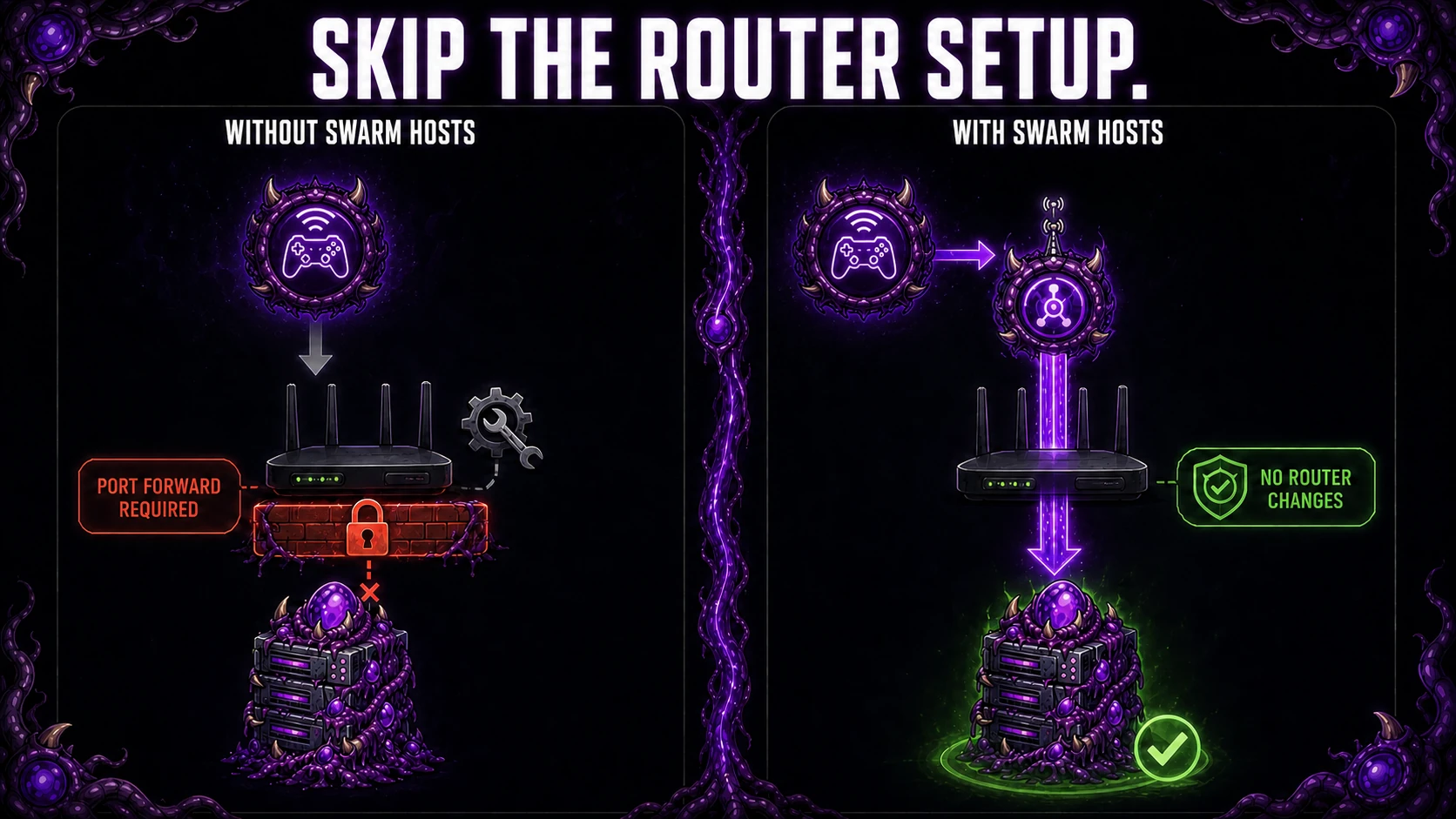
What relay-backed access changes
For a supported deployment, the Swarm Host creates the outbound relay path and players connect to the relay-backed address shown for the server. This provides:
- no inbound port-forwarding rule on your home router;
- a consistent public player address that does not depend on your residential public IP staying the same; and
- a custom
swarmhosts.comaddress where that deployment path supports it.
This gives players the convenience people often want from a static IP, but it does not assign a dedicated static IP to your home connection. Managed relay capacity is shared, and availability depends on the game and deployment path.
Your Swarm Host must remain online and able to make outbound internet connections. The game server still runs on your hardware; the relay carries player traffic between its public endpoint and your server.
How direct access works
Your swarm host machine usually has a private LAN address like 192.168.x.x, but players connect to your public IP.
When a player tries to reach <PUBLIC_IP>:<HOST_PORT>, your network equipment has to know where to send that traffic internally. A port-forward rule does that mapping:
- Public side:
<PUBLIC_IP>:<HOST_PORT> - Internal side:
<SWARM_HOST_PRIVATE_IP>:<HOST_PORT> - Protocol:
TCPorUDP, depending on the game
If the rule is missing or uses the wrong protocol, the Swarm Server may be running but still be unreachable from the internet.
What Swarm checks
Swarm Hosts can show a Public Access status for Swarm Servers and the swarm host file gateway.
- Reachable means the configured public endpoint passed its current check.
- Unreachable means the latest check failed; inspect its explanation.
- Checking means a result is pending.
- Unknown means Swarm Hosts cannot currently establish reachability.
The check uses the server's configured public endpoint, including a relay when one is active. For direct access, your router, firewall, and ISP must also allow the connection. A successful port or protocol check does not prove that a player can complete a game join; test with a real client too.
What you usually need to configure
If you use relay-backed access, you usually only need to keep the swarm host online with outbound internet access. Swarm Hosts handles the public relay path for players.
If you use direct host access, configure:
- Allow the game port on the host firewall.
- Forward the same host port on your router or edge firewall to the swarm host machine.
- Use the correct protocol for the game.
- Make sure your ISP connection actually has a public IP and is not behind CGNAT.
Find the guide for your router
Every router UI is different, so Swarm Hosts does not try to document click-by-click instructions for every model.
Instead:
- Find your router or firewall model.
- Search for its port-forwarding guide from the vendor or community docs.
- Create a rule for the exact host port and protocol shown in Swarm Hosts.
Useful search examples:
ASUS RT-AX58U port forwarding UDPUniFi port forwarding game serverTP-Link Archer port forwarding TCP UDP
Common blockers
- Forwarding the wrong protocol
- Forwarding to the wrong internal IP
- Double NAT between modem and router
- ISP CGNAT
- Host firewall still blocking the port
- Trying to use the swarm host's private IP from outside your network
If the File Gateway is failing
The swarm host file gateway also needs to be reachable from the public internet when you use direct browser-to-swarm host file transfers.
Start with the File Manager troubleshooting checks before changing DNS, firewall, TLS, or port-forwarding configuration.
Check:
- swarm host DNS points at the right public IP
- the gateway port is allowed through the firewall
- the hostname and TLS setup match your gateway configuration