Your result will appear here
Choose the game and describe the machine. The report checks CPU and memory requirements and highlights what to test after launch.
Free game server hardware checker
Check whether your Windows or Linux computer meets the CPU and memory minimums for your game. No account is needed, and your hardware details stay in your browser.
Your game and hardware
Your CPU and memory determine whether you meet the starting requirements. The other answers help you plan for players, mods, storage, and your connection.
Choose the game and describe the machine. The report checks CPU and memory requirements and highlights what to test after launch.
How the result works
We compare your available CPU and memory with the game’s minimum requirements. Larger groups and heavier mods need extra headroom, even when you meet those minimums.
Available CPU cores and memory are checked against the current public catalog entry for the selected game.
More players and heavier content can make a server more demanding. Test your intended setup before inviting the whole group.
Disk space and upload speed appear in your report for planning. They do not affect the score; requirements vary by game and how you play.
Game hardware guides
Check each game’s CPU and memory minimums, content support, and setup advice.

Survival
High-resource · Catalog-declared content profiles
Read ARK: Survival Ascended hardware report
Shooter
Lightweight · Plugin ecosystem
Read Counter-Strike 1.6 hardware report
Shooter
Lightweight · Manifest-managed content
Read Counter-Strike: Source hardware report
Automation
Lightweight · Manifest-managed content
Read Factorio hardware report
Sandbox
Lightweight · Manual file workflow
Read Garry's Mod hardware report
Shooter
Lightweight · Manifest-managed content
Read Left 4 Dead 2 hardware report
Sandbox
Lightweight · Guided provider-backed content
Read Minecraft Java hardware report
Sandbox
Lightweight · Manifest-managed content
Read Minetest hardware report
Simulation
Lightweight · Manual file workflow
Read OpenTTD hardware report
Survival
High-resource · No catalog-declared mod workflow
Read RuneScape: Dragonwilds hardware report
Shooter
Lightweight · Plugin ecosystem
Read Team Fortress 2 hardware report
Sandbox
Lightweight · No catalog-declared mod workflow
Read Terraria hardware report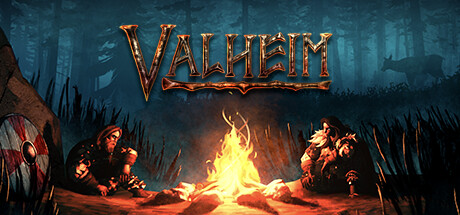
Survival
Balanced · Plugin ecosystem
Read Valheim hardware reportYour hardware, your worlds
Connect one Windows or Linux host free, then use the game guide to verify the full launch path.
